Instrumentation & Automation
Deadline Anchor and Weight Indicator Matching Documents
View the model-specific values, conditions and sources
Start with a matching register, not a capacity headline
A deadline-anchor replacement enquiry can contain several apparently complete documents that describe different combinations. An old anchor drawing, a newer dial photograph and an unidentified sensor may each be genuine without proving that the complete set belongs together. The buyer's task is to expose those differences before quotations become a price comparison.
This guide is a desk-review workflow for deadline anchors and weight indicators. It does not select reeving, prescribe installation, explain calibration or establish allowable loads. Keep those responsibilities with qualified personnel and the applicable controlled instructions.
Establish the document baseline
Create a register with separate entries for the installed anchor, indicator, dial and sensor. For each entry, record the visible designation, any serial or part number, the attachment identifier and the document revision. Distinguish installed evidence from the proposed replacement: a bidder's drawing belongs in the offered column, not in the installed column merely because its title sounds familiar.
Describe the purchasing boundary alongside the register. Is the anchor being replaced while the indicator is retained? Is the sensor unidentified? Does the offer cover a complete package or only one component? These questions define which matching statements the quotation must answer. An unreadable marking should remain an open item, with an owner and a requested response, instead of becoming an assumed model.
Use JZG42 and JZ500 as a vocabulary check
The official deadline-anchor table pairs JZG42 with JZ500 and separates maximum deadline tension, dial line count, corresponding load and sensor output pressure. Its JZ indicator companion page corroborates that pairing. Use the deadline-anchor and weight-indicator product reference for the selected numerical row.
Those field names should also remain separate in the bid register. A corresponding-load entry cannot replace an anchor identification, while a sensor-pressure entry cannot identify a sensor part number. Likewise, repeating the same model designation on two pages of one website is not a configuration-specific acceptance record. The reference resolves vocabulary; the offered component schedule must resolve identity.
Triage discrepancies with a document decision table
| Document observation | Keep as separate evidence | Request before technical acceptance |
|---|---|---|
| Anchor designation is visible; indicator is not identified | Anchor photograph and unknown-indicator entry | Indicator and dial identification tied to the proposed combination |
| Dial line count differs between records | Both dated records without choosing a preferred one | Responsible technical review identifying the applicable document |
| Sensor pressure is stated without sensor identity | Pressure field and missing part-number field | Sensor identification and written matching basis |
| Drawing arrangement differs from the installed record | Existing drawing and offered drawing revisions | Explicit interface review and a documented exception |
| Calibration document names only one component | Its exact scope and traceable identity | Clarification of the complete combination covered |
| Bid offers an alternative without a component list | Original requested scope and alternative scope | Separate coordinated component and document schedule |
A discrepancy is not automatically a defective product. It is an unanswered question that can affect whether the quotation describes the required scope. Do not clear the entire register when only one row has been answered. Identification, documentary matching and final technical acceptance are separate review stages.
Review a retained-indicator offer
Consider a fictional bid that replaces an anchor but retains a JZ500 indicator and an unmarked sensor. The bidder attaches a generic anchor table and says the pressure matches. That response still leaves the sensor identity, dial basis and scope of the matching statement unresolved. Ask for the component schedule and the relevant documents; do not turn the catalogue pressure into a compatibility test or adjustment instruction.
If a second bidder instead offers a complete package, compare the scope as a complete package. It may include different documents or exclude responsibility for retained components. Normalize those boundaries before comparing prices. Keep alternatives in separate quotation revisions so that a drawing from one option is not combined with an indicator schedule from another.
Close the purchasing record without inventing approval
Assign every open item a response owner and document reference. Record whether the reply identifies a component, resolves a mismatch or requires further engineering review. Request controlled instructions for the responsible field team rather than embedding field procedures in the procurement register.
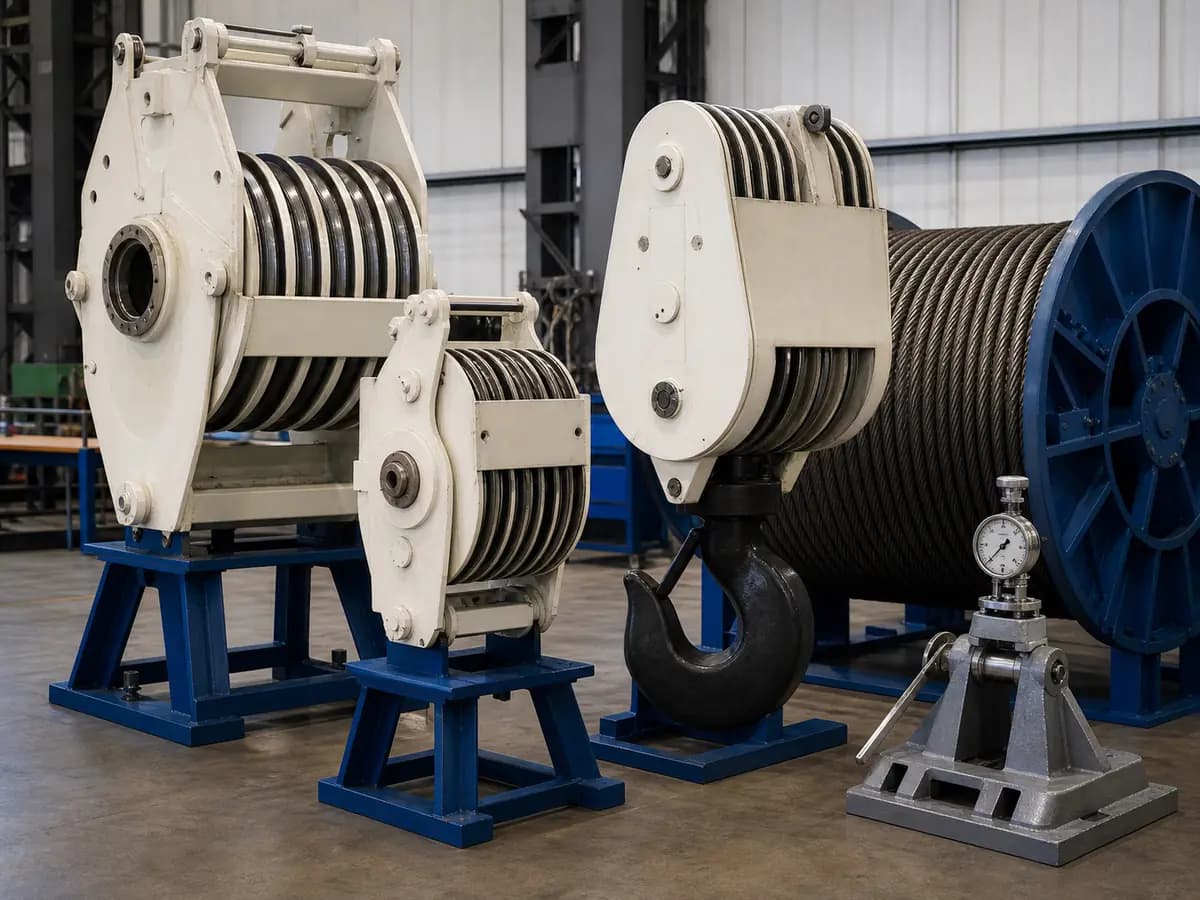
Send the register, labelled photographs, scope statement and required document list through the RFQ Builder. Retain the bidder's exceptions beside the selected offer. The category image does not identify an exact model, and a named reference does not establish stock, an authorized supply relationship, completed certification or approval of the installed system.
Referenced model data
- JZG42 with JZ500 (12-line dial)Maximum deadline tension
- 420 kN
JZG42 vertical anchor paired with JZ500; selected 12-line dial configuration. The 420 cell spans the 12- and 10-line entries. This is the source's maximum deadline tension, not corresponding indicated load, hook-load permission or a rig working-load limit.
HTML lines 883-943: specification table header row; first JZ500 / JZG42 data group; maximum-deadline-tension column (fourth logical column), rowspan=2; selected 12-line subrow.Checked 2026-10-24
- JZG42 with JZ500 (12-line dial)Selected dial line count
- 12 lines
Only the first JZG42 / JZ500 subrow is selected. The following 10-line / 4200 kN subrow is a separate catalogue alternative. This is a documented dial configuration, not a recommendation to choose or change rig reeving.
HTML lines 932-934: first JZ500 / JZG42 data group; dial-line-count column (fifth logical column), first subrow, value 12.Checked 2026-10-24
- JZG42 with JZ500 (12-line dial)Corresponding indicated load at selected dial line count
- 5040 kN
JZG42 with JZ500, exactly the 12-line dial subrow. Source heading is corresponding load; retained as a corresponding indication for document matching, not anchor deadline tension or independently approved hook/rig capacity. Do not use the adjacent 10-line value or infer field allowable load.
HTML lines 932-939: JZ500 / JZG42 group, 12-line subrow; corresponding-load column (sixth logical column, colspan=2 in HTML), value 5040.Checked 2026-10-24
- JZG42 with JZ500 (12-line dial)Sensor output pressure
- 6 MPa
JZG42 paired with JZ500; selected 12-line configuration. The sensor-output-pressure cell spans both JZG42 dial-line alternatives. The page does not define a test pressure, adjustment setpoint, transfer curve, sensor part number or electrical signal; none is inferred.
HTML lines 909-912 and 940-943: sensor-output-pressure header (source writes Mpa); rightmost cell of JZ500 / JZG42 group, rowspan=2, value 6.Checked 2026-10-24
| Model | Parameter | Reference value | Conditions and source |
|---|---|---|---|
| JZG42 with JZ500 (12-line dial) | Maximum deadline tension | 420 kN | JZG42 vertical anchor paired with JZ500; selected 12-line dial configuration. The 420 cell spans the 12- and 10-line entries. This is the source's maximum deadline tension, not corresponding indicated load, hook-load permission or a rig working-load limit. HTML lines 883-943: specification table header row; first JZ500 / JZG42 data group; maximum-deadline-tension column (fourth logical column), rowspan=2; selected 12-line subrow.Checked 2026-10-24 |
| JZG42 with JZ500 (12-line dial) | Selected dial line count | 12 lines | Only the first JZG42 / JZ500 subrow is selected. The following 10-line / 4200 kN subrow is a separate catalogue alternative. This is a documented dial configuration, not a recommendation to choose or change rig reeving. HTML lines 932-934: first JZ500 / JZG42 data group; dial-line-count column (fifth logical column), first subrow, value 12.Checked 2026-10-24 |
| JZG42 with JZ500 (12-line dial) | Corresponding indicated load at selected dial line count | 5040 kN | JZG42 with JZ500, exactly the 12-line dial subrow. Source heading is corresponding load; retained as a corresponding indication for document matching, not anchor deadline tension or independently approved hook/rig capacity. Do not use the adjacent 10-line value or infer field allowable load. HTML lines 932-939: JZ500 / JZG42 group, 12-line subrow; corresponding-load column (sixth logical column, colspan=2 in HTML), value 5040.Checked 2026-10-24 |
| JZG42 with JZ500 (12-line dial) | Sensor output pressure | 6 MPa | JZG42 paired with JZ500; selected 12-line configuration. The sensor-output-pressure cell spans both JZG42 dial-line alternatives. The page does not define a test pressure, adjustment setpoint, transfer curve, sensor part number or electrical signal; none is inferred. HTML lines 909-912 and 940-943: sensor-output-pressure header (source writes Mpa); rightmost cell of JZ500 / JZG42 group, rowspan=2, value 6.Checked 2026-10-24 |